Create a cover letter that matches your resume
Use your resume and the job description to generate a clear, personalized cover letter in minutes.
Create cover letter
Create, improve, and download your resume with AI. Export PDF or DOCX, share a private link, and apply with confidence.
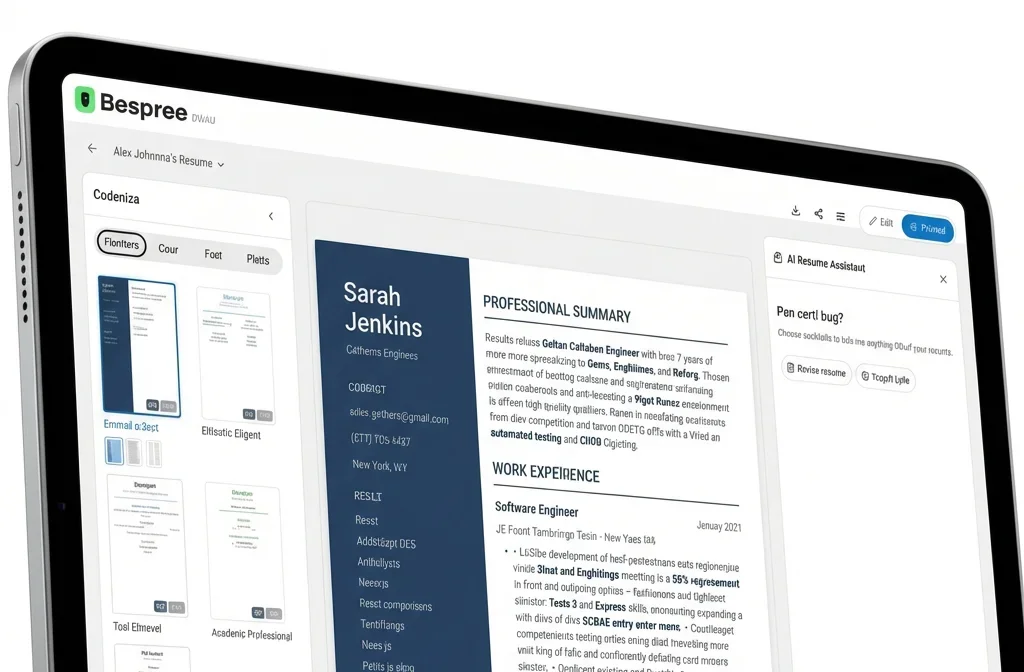
A better resume needs strong wording, clean formatting, and easy export. Bespree helps with all three.
Start with an ATS-friendly template or explore resume examples before you write.
Get bullet points, summaries, and phrasing suggestions you can accept, edit, or ignore.
Use clean resume templates designed for modern hiring systems.
Download your resume as a PDF or Word document for most job applications.
Upload a PDF or Word resume or CV and Bespree turns it into editable sections. Use AI to sharpen bullets, fix phrasing, and tailor it to the job you want without starting from scratch.
PDF and Word files supported.
Drop your resume here
PDF · DOCX · up to 5 MB
Once your resume is ready, search jobs near you with filters for distance, job type, and pay. Explore roles on a map and use your resume when you apply.
Once your resume is ready, create a matching cover letter or practice interview questions for your target role without starting from scratch.
Use your resume and the job description to generate a clear, personalized cover letter in minutes.
Get common interview questions, prepare stronger answers, and explain your experience with confidence.
Create a private, share-ready URL for your Bespree resume. Send it to a recruiter, employer, or someone referring you, then update your resume anytime without re-sending a file.
Bespree helps you create a clean, ATS-friendly resume or CV you can actually use. Start from scratch or import your existing resume, improve it with AI, and export to PDF or Word.
Create, edit, and download your resume when you’re ready. Export to PDF or Word.
Use clean templates for hiring systems, then accept, edit, or ignore every AI suggestion.
Use your resume to find jobs that match your skills, schedule, and commute.
Step 01
Create a new resume or upload your existing PDF or Word file.
Step 02
Improve bullet points, add skills, and make your resume easier to read.
Step 03
Download your resume as a PDF or Word document when you’re ready.
Step 04
Use your resume to search nearby jobs that match your skills, schedule, and commute.
Post jobs and reach candidates looking for local opportunities. Bespree helps employers create simple job listings and connect with applicants nearby.
Create an ATS-friendly resume in minutes. Import your existing resume, improve it with AI, and export to PDF or Word.
Start your resume